 Textbound
Record
Every message on its own row with the time to the second, the sender and the service. Page numbers, a cover with the participants and time zone, and the SHA-256 of every attachment.
Turn any conversation in Messages into a clean PDF — every message with its exact time and sender, photos inline, page numbers and a fingerprint that shows nothing was changed. Textbound reads your history on your Mac, read-only. Nothing is uploaded, ever.
Free for the newest 100 messages of any conversation · macOS 14 or later
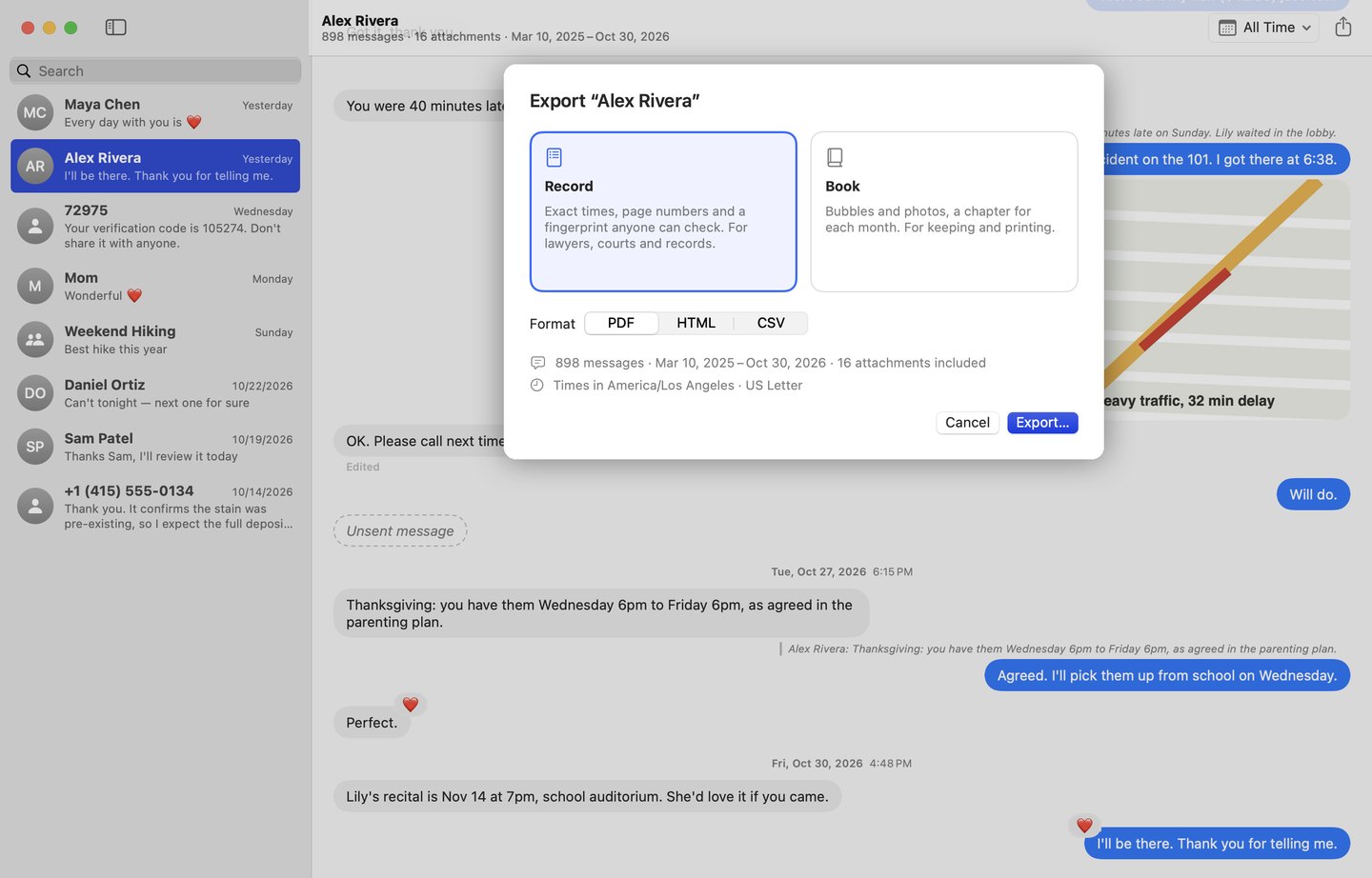
Every message on its own row with the time to the second, the sender and the service. Page numbers, a cover with the participants and time zone, and the SHA-256 of every attachment.
Bubbles as you remember them, photos large, a chapter for each month and a cover. Print it, give it, keep it.
Reactions with who and when, edits with the earlier versions, unsent messages marked, replies quoted, voice messages and videos listed with their length.
iMessage and SMS, phone number and email — Textbound puts a person's chats together, the way Messages shows them.
No screenshots, no scrolling for hours, no text recognition guessing at words. Textbound reads the real history, so every word and time is exact.
A folder that opens in any browser, or a spreadsheet with one row per message — for case files and your own archive.
Each export carries a fingerprint calculated from every message, time and file in it. Choose File › Verify an Export… on the Mac it came from and Textbound compares every page with Messages — and says plainly whether anything differs.
Your conversations are the most personal thing on your Mac. Textbound opens them read-only, keeps nothing, and never sends them anywhere. No account, no analytics, no crash reports.
Free
$19.99 one-time
No subscription. The free version is yours for good.
No. Textbound reads the Messages history on your Mac, read-only, and writes the files you export where you choose. It has no account and no server for your messages, and collects nothing.
macOS keeps the Messages history in a protected place; Full Disk Access is the only permission that lets an app read it. Textbound opens only Messages and Contacts, and only to read.
Yes, when Messages in iCloud is on: your Mac then has the same history as your iPhone. In Messages on the Mac, choose Messages › Settings › iMessage and turn on Enable Messages in iCloud.
Textbound gives you an exact, complete record — times to the second, senders, attachments with their SHA-256, page numbers and a fingerprint anyone can check. Whether a court accepts it is up to the court and the rules where you are; ask your lawyer.
With Optimize Storage, Messages may keep older attachments in iCloud only. Textbound marks them in the export instead of leaving them out; open the conversation in Messages to download them, and export again.
Textbound reads Messages: iMessage, SMS and RCS on your Mac.
$19.99, once. No subscription. The free version never expires.